Léonard Noth
ENFRDE
← projects

Atelier

The boring half of video editing, automated

A local creator suite: record, AI-cut, arrange and render video. Raw takes to final cut, without touching a timeline.

Role
Designer & engineer
Scope
Product design · Desktop app · AI pipeline · Video rendering · Brand system
Built with
Next.js, TypeScript, Tailwind CSS, Remotion, Electron, SQLite, ffmpeg, ElevenLabs, OpenAI
Team
Solo
Timeline
2025 – present
Outcome
Rushes to a rendered 1080p cut without opening a timeline. Four rooms, five local databases, nothing uploaded, no subscription.

The problem

Making a video alone means paying four subscriptions and doing the tedious part by hand: cutting silences, finding the retakes, arranging the same lower-thirds again. I wanted one tool for the whole loop, running on my own machine, where the only thing I pay for is API calls, and where the footage never leaves the laptop.

My role

Solo. Design, build, and the brand system the video components read from.

Read as
The essentials in two minutes

The system design

  1. Brainstorm

    One question per session. I write ideas, star the good ones, reject the bad, and each AI round reads everything already decided.

  2. Plan

    An episode moves across six columns (idea, research, script, filming, editing, published), so the thing being made has a state.

  3. Record

    Camera and, optionally, a chosen screen or window, captured as two synchronised files.

  4. Understand

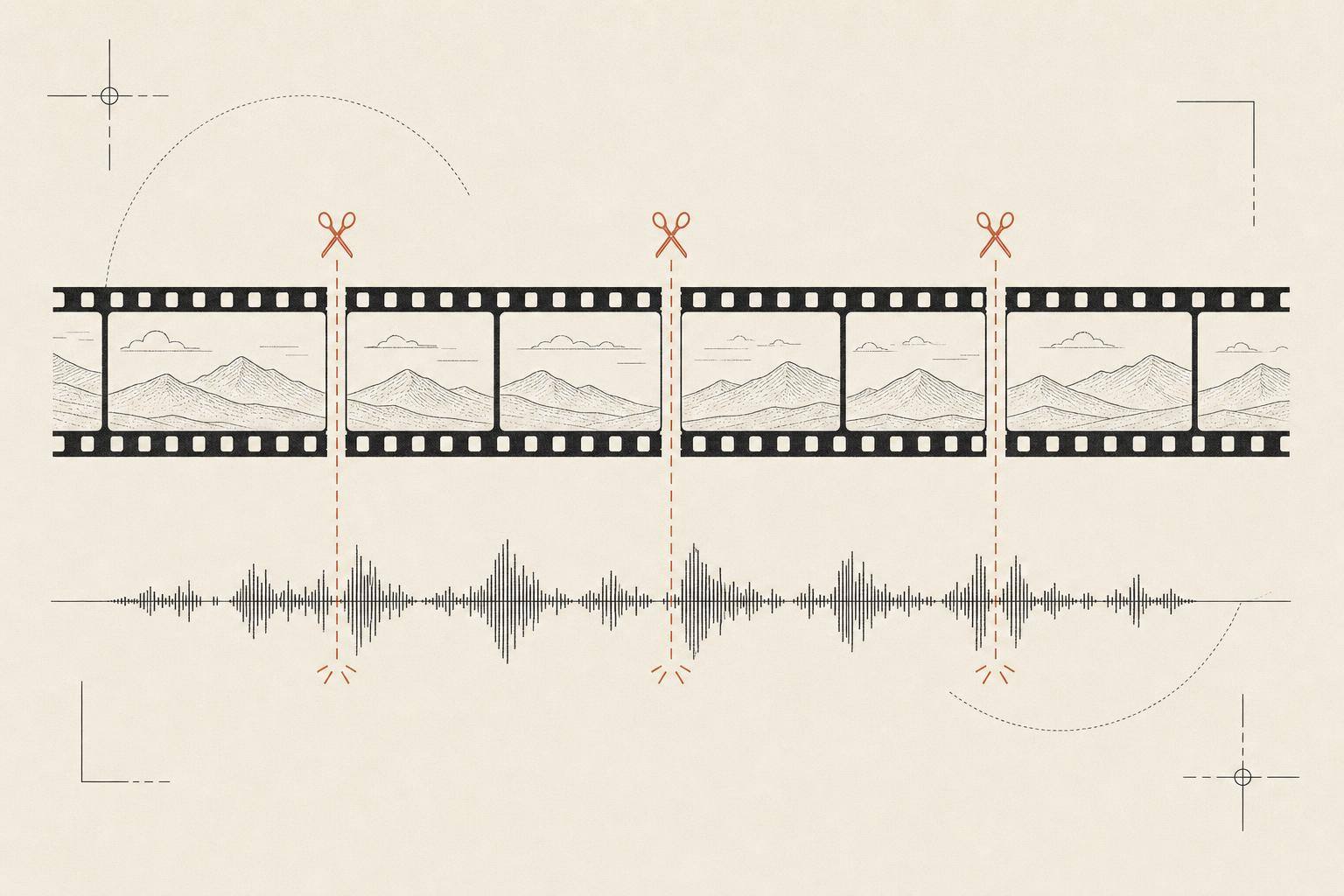
    Normalise the footage, transcribe it verbatim with word-level timings, and propose the cuts.

    • Silences are found by rule, not by model. Deterministic and free
    • The model only ever sees words, and returns word indices rather than timestamps
    • A second pass proofreads only the surviving words, because a correct cut can still leave a broken join
  5. Compose and render

    A model proposes the visual edit against a registry of my own components; I fix it by clicking; one composition drives both the preview and the export.

    • Every AI layout is normalised, tiled and clamped, with gaps filled so the timeline is never partly empty
    • The preview and the final render are the same code path, so what I approve is what ships
Platform services
  • Next.js in an Electron shell

    Each room is a route; the desktop window is a thin wrapper, not a second application

  • Five local SQLite databases

    One per module, so a new room can't be blocked by another room's schema

  • Detached worker processes

    Long steps run outside the web server and write progress into a jobs table, so a render survives a reload

  • ffmpeg

    Normalises rushes to constant framerate and extracts the audio the transcriber gets

  • ElevenLabs Scribe

    Verbatim transcription with per-word timings; the fillers it keeps are exactly what the cut stage needs

  • Remotion

    One composition renders both the in-app preview and the final 1080p export

Key decisions

Split the pipeline where determinism ends

instead of · Handing the whole timeline to a model and letting it decide every cut

Silence detection is arithmetic on word gaps: deterministic, free, and correct by construction. Retake detection is semantic judgement: probabilistic and billed per call. Drawing the boundary there protects the invariant that timing is never inferred by a model, and confines cost and error probability to the one stage that actually needs judgement.

Word indices as the model contract, never timestamps

instead of · Asking the model for time ranges directly

A hallucinated timestamp is a plausible float that cuts the wrong frame and fails silently. An invalid word index fails validation before it touches the footage. Keeping the index-to-time mapping in my code turns the worst failure mode, a silent mis-cut, into a loud, recoverable rejection.

A second audit pass over the assembled cut

instead of · One better-prompted cut pass

Individually correct cuts can still compose into a duplicated phrase or a broken join: per-edit correctness does not guarantee sequence correctness. The audit pass reads only the surviving words, the edit as the viewer will hear it, and keeps the original indices so its corrections land in the same coordinate system. One extra model call buys a check the first pass cannot perform on itself.

Deleting the wipe transition instead of maintaining the fix

instead of · Shipping the working fix I had already written

The fix suppressed the wipe wherever a chapter card already breaks the flow, so the feature only stayed acceptable under a guard rule every future layout change would have to respect. A default that needs a rule to not look wrong carries negative value: it still looked worse than no transition, so one commit later the feature went, and the rule with it.
In action

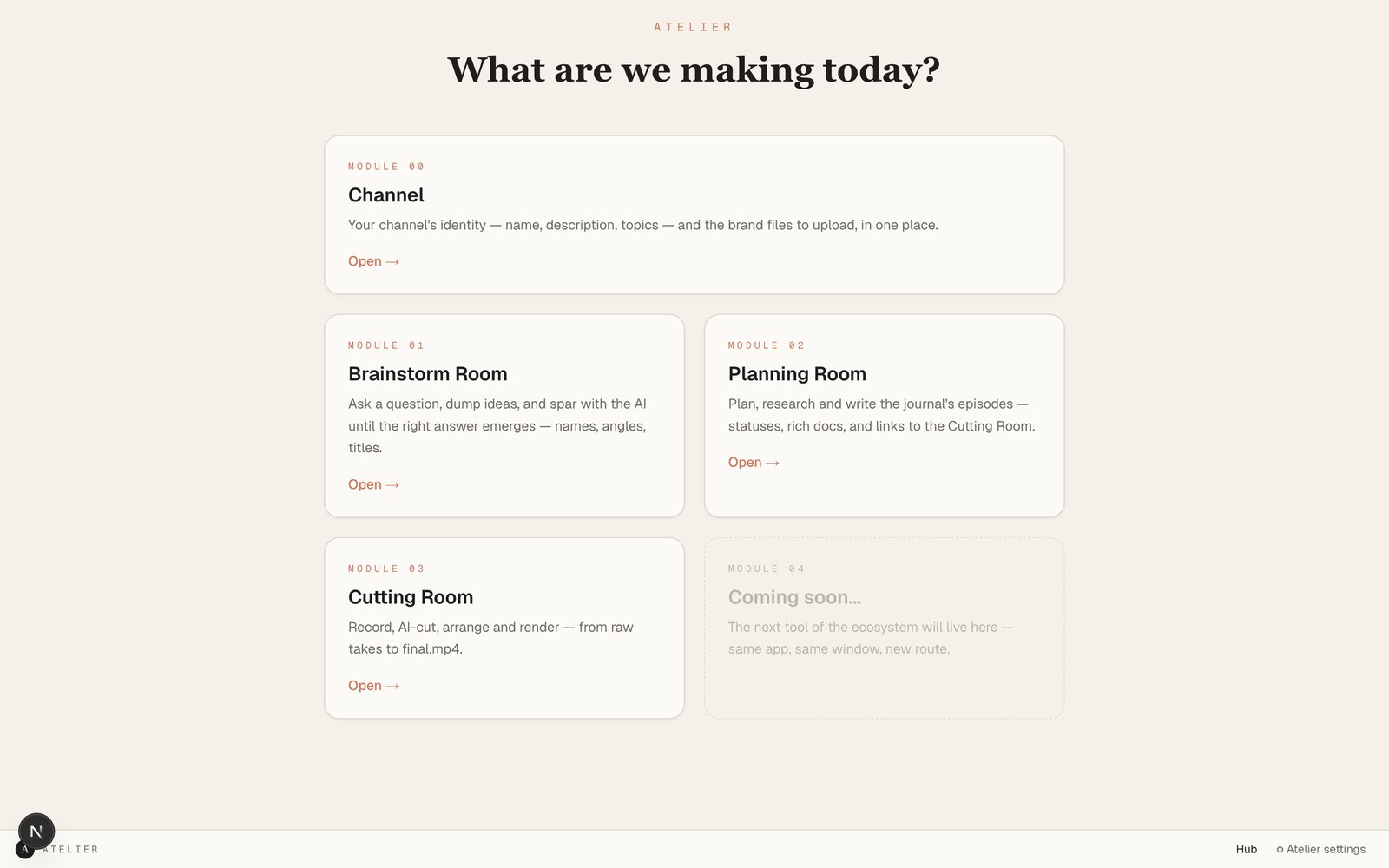
The hub. Four rooms in one window, and a fifth card left deliberately empty. The architecture is built to grow another room.
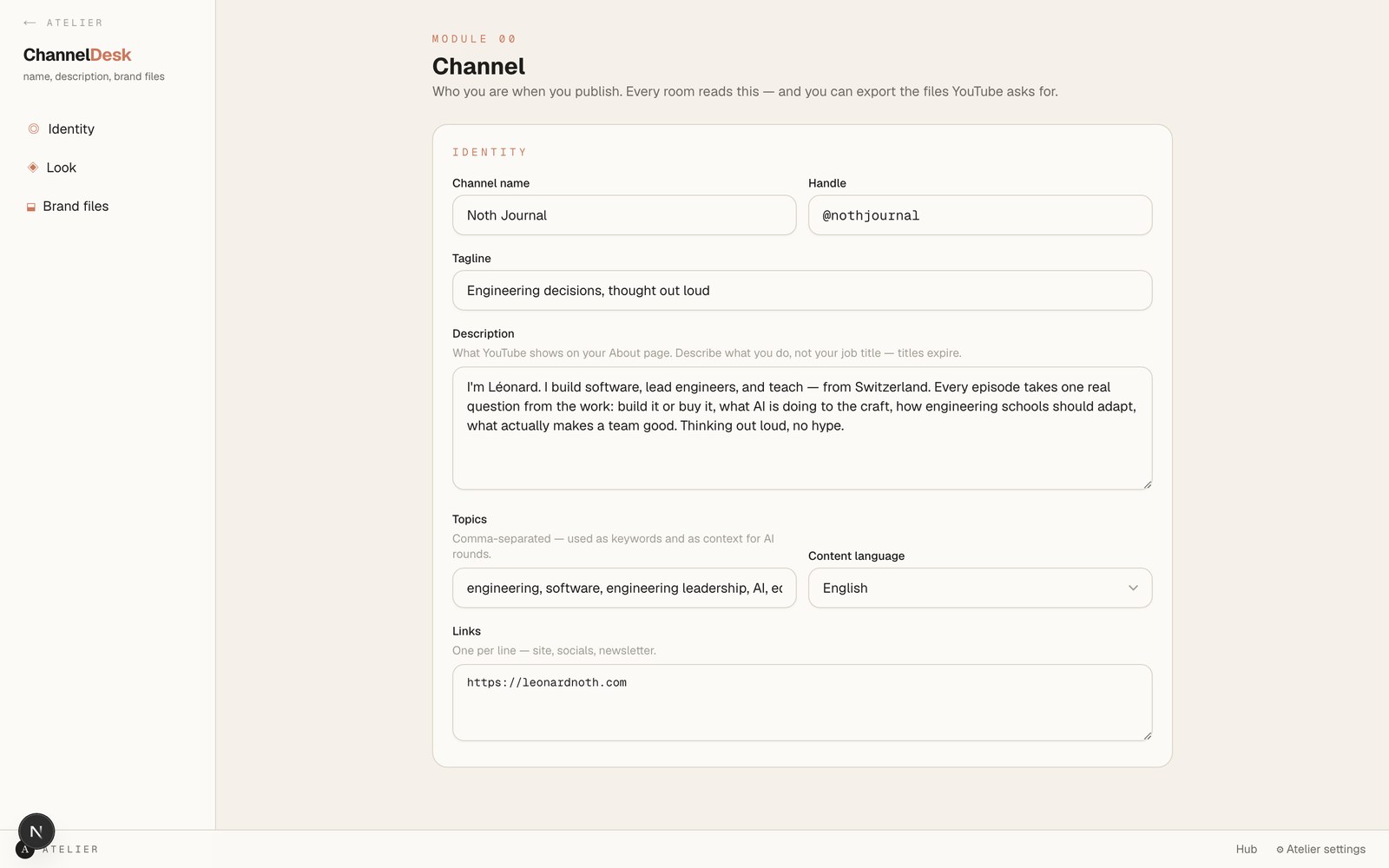
The Channel desk. Set the identity once and every room reads it, including the colours and fonts the video components render with.

Atelier is a production suite built for a solo creator. It records camera and screen as two synced files, transcribes them verbatim, proposes cuts with an LLM that reads the transcript, plans the visual edit, and renders the result server-side with Remotion.

It runs entirely on my machine: four rooms (Channel, Brainstorm, Planning, Cutting) over local SQLite databases, wrapped in Electron. No subscription, no upload, and the footage never leaves the laptop.

What I learned

  • The interesting engineering isn't the AI. It's every place the AI's output gets caught. Indices instead of timestamps, layouts normalised before rendering, gaps filled so the timeline is always whole.
  • Making the preview and the export the same code path is the choice everything else rests on. If they can diverge, you are approving one thing and shipping another.
  • Building the tool taught me more about what creators need than reading about it did, and most of what they need is for the boring part to disappear, not for the clever part to get cleverer.
  • Write comments about what broke, not what the code does. The useful ones in this repo record a one-frame rounding error that put a black blink at every cut.

What it doesn't do

  • It's built for one creator working alone, and the brand system assumes a single creator's identity.
  • It runs on macOS only, and the render is as fast as one laptop.